
How to Buy Steam Games with Crypto: Cwallet Cozy Card Guide
Cozy Card lets you buy Steam games, DLC, and wallet top-ups using 17+ cryptocurrencies

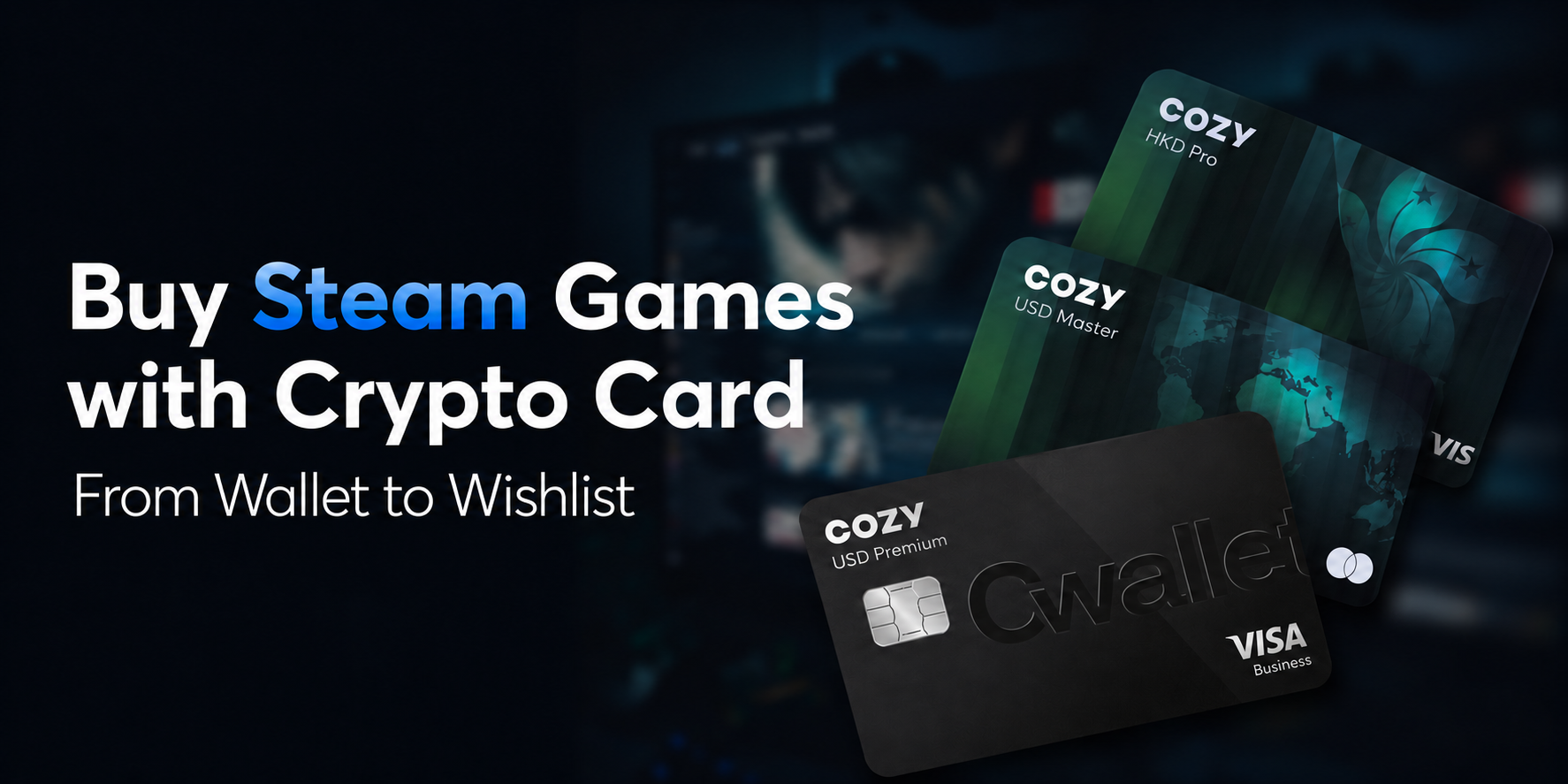
Key Takeaways
- Cozy Card lets you buy Steam games, DLC, and wallet top-ups using 17+ cryptocurrencies
- Steam doesn't accept crypto directly — Cozy Card bridges the gap as a virtual Visa/Mastercard
- No bank account needed; activate in minutes and spend crypto instantly at Steam checkout
Your Steam wishlist is packed.
The Summer Sale just wrapped up with discounts up to 90%, and the Autumn Sale is already on the horizon. You've got crypto ready to spend — but Steam doesn't take a single coin. No $BTC, no $USDT, no $ETH.
The world's largest PC gaming platform, with over 132 million active users, remains completely walled off from cryptocurrency. So your crypto sits idle while the games you want slip back to full price.
Why Buying Steam Games with Crypto Is So Hard
Steam's relationship with cryptocurrency ended in December 2017, when Valve discontinued Bitcoin payments citing price volatility and high transaction fees. Nearly a decade later, despite the explosive growth of crypto adoption, Steam has not reintroduced any form of cryptocurrency payment. The platform only accepts traditional credit and debit cards (Visa, Mastercard, American Express, Discover), PayPal, Steam Wallet codes, and region-specific banking methods.
For crypto holders, this creates a frustrating gauntlet. The conventional workaround requires selling your crypto on an exchange, waiting for fiat to settle, withdrawing to a bank account, and then using that bank card on Steam — a process that can take days and incur multiple conversion fees. Worse, Steam enforces strict regional payment validation: if your card's billing address doesn't match your Steam store region, the transaction gets declined outright. This hits international users, expats, and digital nomads particularly hard. And during peak sale events — when tens of millions of gamers hit checkout simultaneously — even valid bank cards frequently time out or fail under the load.
Gift cards offer an alternative, but they're an indirect workaround. You buy a Steam gift card with crypto from a third-party platform, receive a code by email, then redeem it on Steam. It works, but it adds steps, limits flexibility, and doesn't support recurring purchases or in-game microtransactions.
📖 Related Reads:
$2,600 a Year on Subscriptions? Here's How Crypto Users Pay Smarter with Cozy Card
Subscribe to Telegram Premium with USDT: Unlock Seamless Crypto Payments with Cwallet’s Cozy Card
How to Subscribe to Netflix with USDT Using a Crypto Card
The Solution: Cwallet Cozy Card
Cozy Card solves this by functioning as a proper payment card that Steam already accepts. Because it runs on the Visa and Mastercard networks, Steam's checkout system processes it like any standard debit card — no special integration, no workarounds, no gift card codes. The difference is that behind the scenes, you're funding it entirely with cryptocurrency.
Once your Cwallet Cozy Card is topped up with USDT, BTC, ETH, or any of the 17+ supported tokens, the crypto-to-fiat conversion happens instantly. Steam sees a normal Visa or Mastercard transaction.
You see your crypto balance become buying power for games, DLC, season passes, in-game items, and Steam Wallet top-ups — everything the platform offers.
How to Buy Steam Games with Crypto: 3 Steps
Step 1 — Get Your Cozy Card
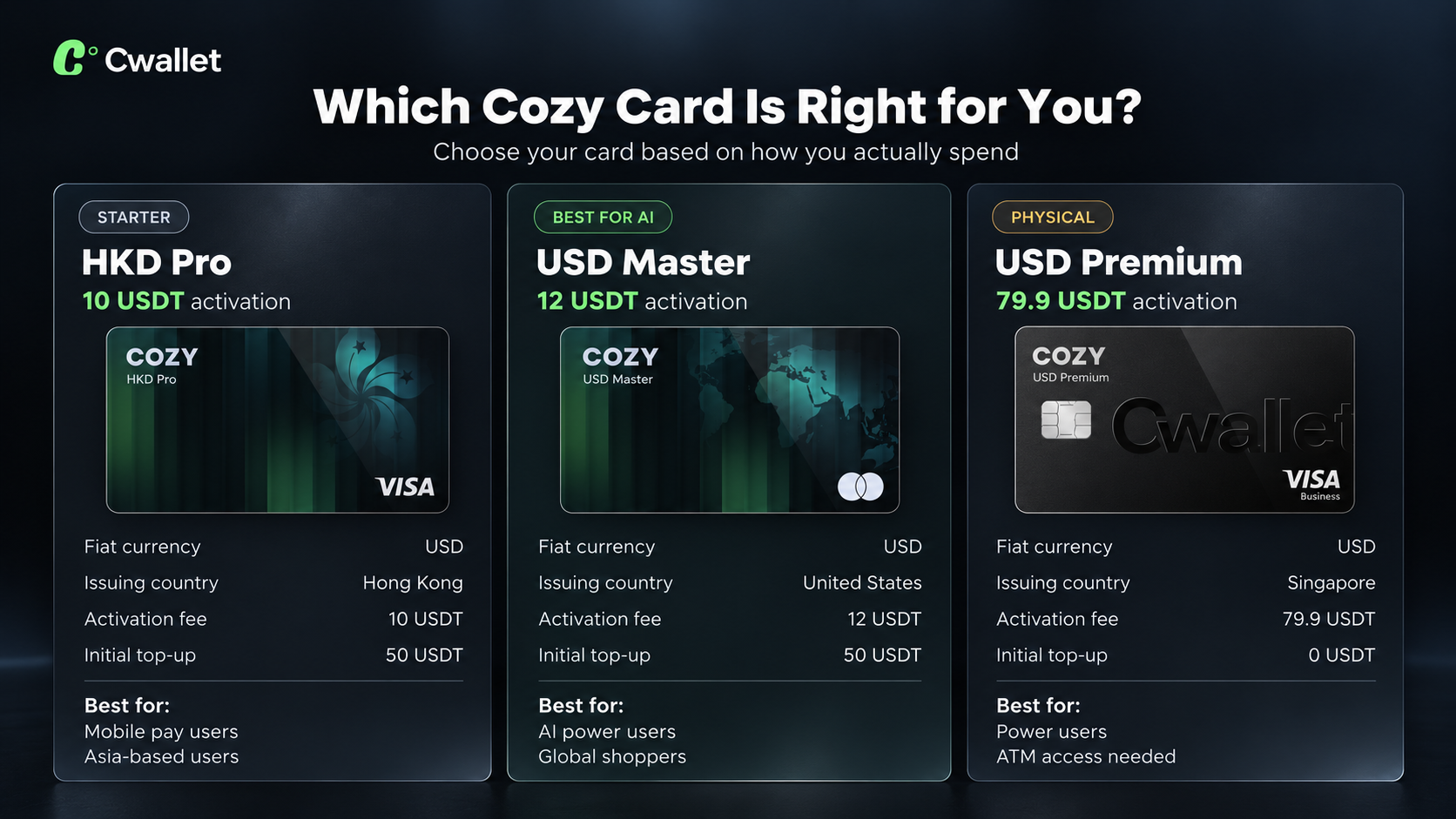
Choose from four card tiers based on your spending habits.
- The USD Master card ($12 activation) offers full payment compatibility and is ideal for heavy Steam shoppers.
- The USD Pro ($12 activation) adds PayPal support for extra flexibility.
- All tiers work directly at Steam checkout without region locks.
Step 2 — Top Up with Crypto
Load your card using any of 17+ supported cryptocurrencies, including USDT, USDC, BTC, ETH, XRP, SOL, BNB, and DOGE.
The conversion is instant — your balance is ready to spend immediately.
No exchange hopping, no bank transfers, no waiting days for funds to clear before a sale ends.
Step 3 — Start Gaming
In your Steam account, go to your cart and select a credit/debit card as the payment method.Enter your Cozy Card details exactly as shown in your Cwallet app.
Complete the transaction — your game is purchased, and your crypto did the heavy lifting.
For Steam Wallet top-ups, the same card works in the "Add Funds" section.
Why Cozy Card Beats Other Methods
Compared to the gift card route, Cozy Card is fundamentally more flexible.Gift cards lock you into a fixed denomination and can't be used for in-game purchases or microtransactions. Cozy Card works for every transaction type Steam supports, from a $2 DLC to a $60 AAA title to a $5 Wallet top-up. You spend exactly what you need, and the remaining balance stays on your card for next time.Compared to other virtual crypto cards, Cozy Card stands out on three fronts.
First, it requires no bank account or credit check — you activate it entirely through Cwallet with just your crypto. Second, it carries PCI DSS certification with real-time fraud monitoring, so your funds are protected with bank-grade security.
Third, the instant top-up mechanism means you can reload mid-sale when a flash deal appears, without watching the timer expire while waiting for a bank transfer.
As the next Steam Autumn Sale approaches on October 1, the window to prepare your payment method is now. Don't let another sale pass with your crypto sitting unused and your wishlist growing longer.With Cozy Card, your Bitcoin, USDT, and Ethereum are already Steam-ready — you just need to activate.

⚡️ Ready to turn your crypto into Steam games? Get your Cozy Card activated in minutes — no bank account needed, just your crypto.
Cwallet: Your All-in-One Crypto Solution
Cwallet allows you to store, trade, and manage 1,000+ cryptocurrencies across 60+ blockchains, offering flexibility for both Spot Trading and Futures Trading. With features like Perpetual Trading, Cozy Card, and more, Cwallet empowers you to make the most of your crypto journey.
Join the Community & Earn More
Trade daily, earn more. Cwallet's Telegram and Discord communities host regular trading challenges across Market Battle, Trend Trade, 1001X, and Tap Grid, with extra rewards waiting for active participants.
👉 Join us on Telegram or Discord to participate in ongoing events and claim your rewards.
Official Links
Official Site: https://cwallet.com
X: https://x.com/CwalletOfficial
Disclaimer
This content is for informational purposes only and does not constitute financial advice. Crypto assets are volatile, and all investment decisions should be based on your own research (DYOR). Cwallet assumes no liability for any losses.